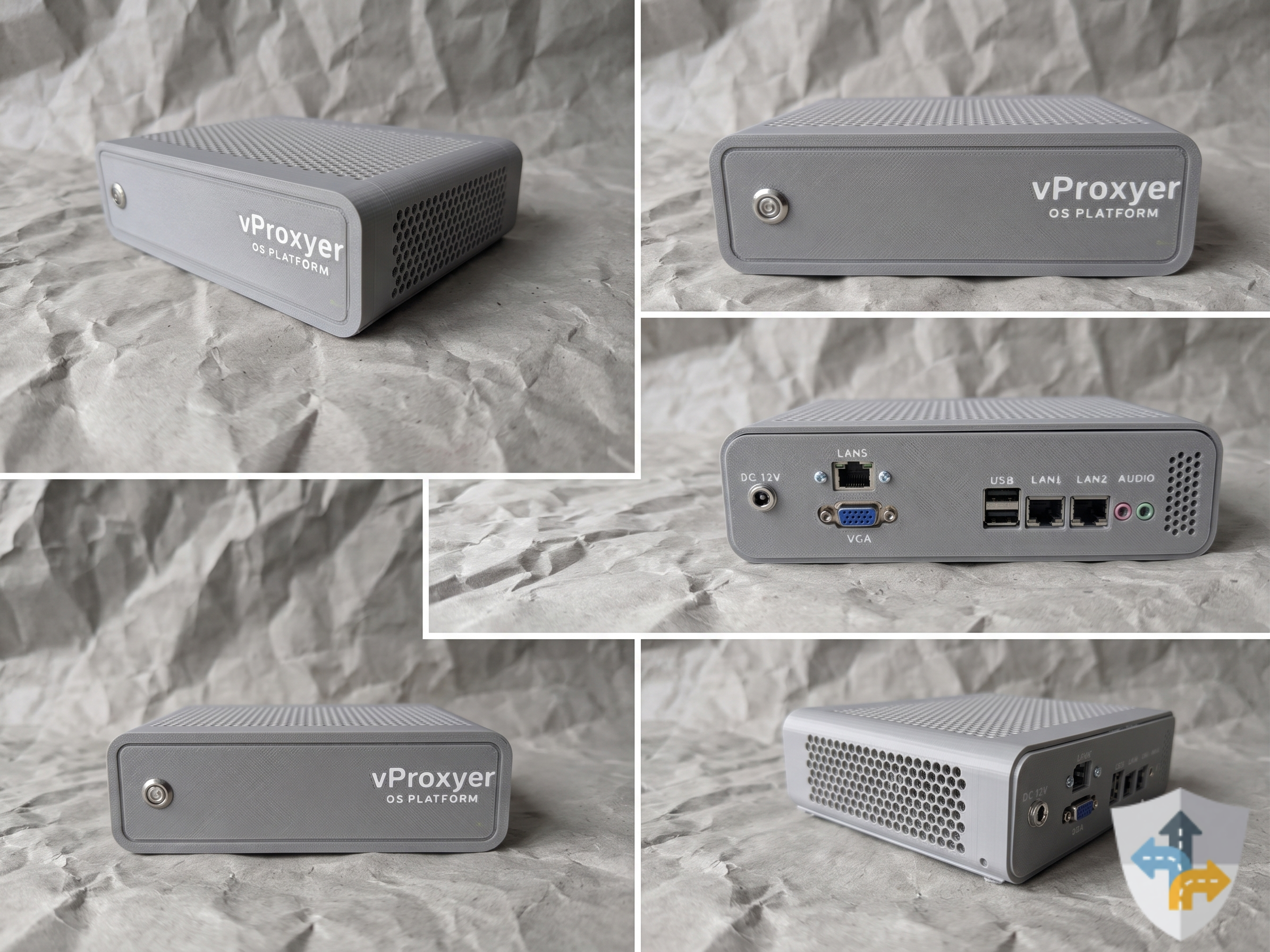
vProxyer device model B31900 — product photo collage

OS Platform · B31900

B31900

One appliance that unifies WAN connectivity, IP Egress routing, proxy and security edge — managed centrally through a realtime Web UI.

  • Multi PPPoE (Multi-session) Many PPPoE sessions, dial queue, Auto Reset IP and System WAN
  • Virtual IPs Many virtual IPs on one NIC/VLAN — DHCP, static or IP Pool
  • Per-client IP Egress DHCP leases + Route Egress: System NAT, PPPoE, Virtual IP, Proxy 3rd
  • Proxy IPv4 HTTP/SOCKS5 realtime — bind egress, KPIs and bulk operations
  • Protection & Insights Access control, forwarding and realtime monitoring

Featured modules

From connectivity to rotating proxy

Quick module summaries — open details for the full capability list.

Browse all modules

Ready 01 / 09

Multi PPPoE (Multi-session)

Run many PPPoE sessions on one appliance — monitor status and control everything from the Web UI.

Also included: Dynamic DNS, SSL, Geo Prefix, BW Limit, Account Proxy, Logs/Audit and System Services.

View details

Business scenarios

Supports multiple business models

01

Phone Farm

Give each phone/device its own egress IP via IP Egress — stable for automation and multi-account workflows.

02

VPS / hosting

Assign a dedicated path per VPS/VM, cap bandwidth, and keep IP sticky or rotate on demand.

03

Rotating proxy sales

Subscription, rotation, buffer and API so customers change IPs themselves — retail or packaged plans.

04

ISP / office / cyber cafe

DHCP + firewall + a dedicated PPPoE/VIP path per machine via IP Egress.

05

Proxy farm

Scale Proxy IPv4 across PPPoE/VIP lines with domestic/international bandwidth caps.

06

Multi-provider reseller

Third-party proxy catalog, health checks and per-customer upstream selection.

Manage & operate

Every device capability in one interface

Operators can configure, monitor and recover from one place instead of juggling tools.

Network management

Connectivity & routing

  • Manage multiple WAN links
  • Assign egress per device
  • Configure subnets and virtual IPs
  • Monitor connection health
Proxy services

Provisioning & IP rotation

  • Proxy IPv4 by egress path
  • Centralized proxy source management
  • On-demand IP rotation
  • Self-service customer API
Device operations

Monitoring & recovery

  • Realtime status dashboard
  • Logs and action history
  • Service health alerts
  • On-device recovery console

FAQ

Frequently asked questions

Is vProxyer software or hardware?

vProxyer ships as a complete package of software and dedicated hardware: one appliance that unifies WAN connectivity, per-device routing, proxy delivery, network protection and monitoring — built for simplicity and one-click setup. Virtualized deployments are not supported at this time.

How does IP Egress work?

IP Egress Manager tracks DHCP clients by IP and assigns Route Egress per host — System NAT (system WAN), PPPoE, Virtual IP or Proxy 3rd — with bandwidth caps, traffic monitoring and Internet block/unblock. When WAN links flap or the box reboots, ip rule / NAT mappings are re-applied from the saved config.

What does Proxy IPv4 provide?

Realtime HTTP/SOCKS5 proxy endpoints (TCP; SOCKS5 includes UDP): create, enable/disable, bind Route Egress (PPPoE, Virtual IP, Proxy 3rd), Accept WAN IP, DNS profile, domain deny, bandwidth limits, and bulk ops (change egress, randomize port/credentials/API key, export ip:port:user:pass).

How does vProxyer licensing work?

vProxyer is modular — new features can be added later. Your purchase includes the modules listed in the product package; optional premium licenses can be bought on the web and activated online. Contact us for tailored advice.

What if the Web UI is unreachable?

The TTY1/HDMI device console can reset password, firewall and DHCP, plus reboot or shut down for on-site recovery.

Can I resell a device I no longer use?

vProxyer does not take devices back. You can list them for sale in our community group. If warranty and support remain, the next owner still gets full support.

vProxyer OS Platform

Manage network and proxy from one Web UI.

Sign in to configure Multi-PPPoE, IP Egress, proxy and security edge.

vProxyer topology: Multi-PPPoE, Virtual IP and third-party proxy WAN sources through Policy Engine / IP Egress to each LAN PC client.